Copilot Cowork: What It Is, Where It Came From, and What It Takes to Get Started
If you have been keeping an eye on developments in the Microsoft AI space, you will have seen a lot of noise around Copilot Cowork recently. It is being talked about as one of the most significant additions to Microsoft 365 Copilot yet, and for good reason.
In this blog, we will give you a clear, practical overview of what Copilot Cowork is, where it came from, and what businesses need to do to start using it. We will be diving deeper into specific features and use cases in a future post, so consider this your grounding in the essentials.
Some Context: Where Did Copilot Cowork Come From?
To understand Cowork, it helps to understand the broader shift that has been happening in the AI landscape over the past year.
Microsoft has been expanding Microsoft 365 Copilot beyond a single-model approach, bringing in additional model technology as part of a broader multi-model strategy. As part of that, Microsoft introduced Copilot Cowork into Microsoft 365 Copilot through its work with Anthropic and the technology behind Claude Cowork.
Rather than replacing the models that have powered Copilot to date, this adds another option within the Microsoft ecosystem for more agentic, multi-step work. Microsoft presents this as part of a wider effort to give organisations access to more advanced reasoning and task execution inside Microsoft 365 Copilot.
It is a significant move from Microsoft, particularly for businesses looking at AI not just as a prompt-and-response tool, but as something that can support more complex workflows.
So What Is Copilot Cowork?
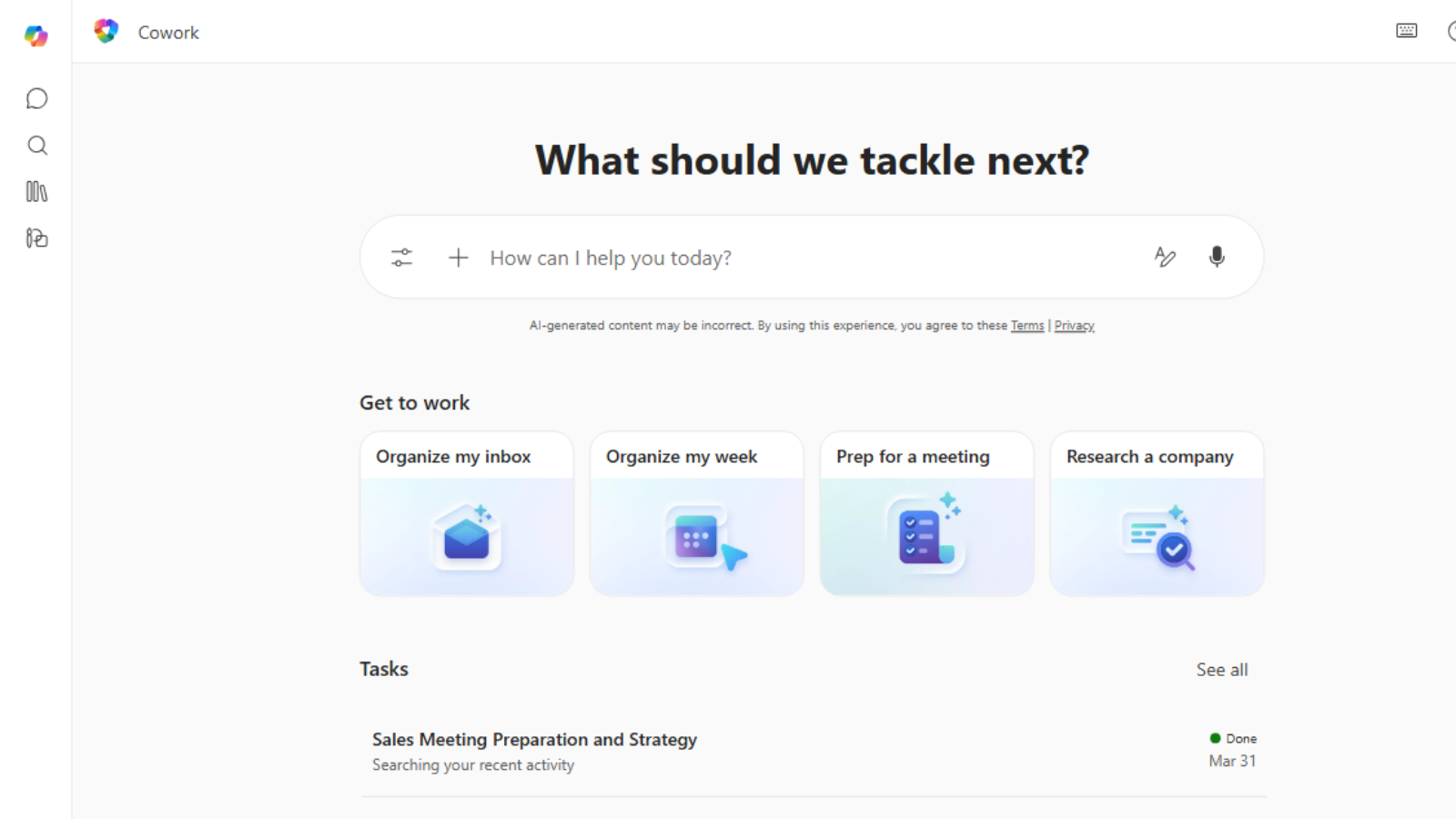
Copilot Cowork is an agentic capability within Microsoft 365 Copilot designed to help users tackle more complex, multi-step work. Microsoft presents it as a way to move beyond one-off prompts and into tasks that involve reasoning across information, working through multiple steps, and producing more complete outputs.
Some of the capabilities that make Cowork stand out include:
- Reason across larger volumes of information to support summaries, comparisons and analysis.
- Handle more complex multi-step tasks than a standard chat-style interaction.
- Support drafting and knowledge work inside the Microsoft 365 environment.
- Help users work through tasks more autonomously, while still keeping the user in control.
These are early days, and we will cover specific use cases and what this looks like in practice for different types of businesses in another post in the future. The core point is that Cowork moves AI from a tool you use occasionally to a participant in the way your organisation works day to day.
How Can Businesses Actually Roll This Out?
This is where things get a little more involved than a simple software update, and it is worth being clear on the current requirements.
Based on Microsoft’s current guidance, access typically includes the following:
- Microsoft 365 Copilot licences
Cowork sits within Microsoft 365 Copilot, so the starting point is having the right licences in place.
- Opt into Microsoft’s Frontier programme
Frontier is Microsoft’s early access programme for new Copilot capabilities, and Cowork is currently available through that preview route rather than broad general availability.
- Enable Anthropic (Claude) models at tenant level
Microsoft’s current setup also requires Anthropic to be enabled at tenant level, with additional considerations for some regions and compliance settings.
- Deploy the Cowork agent to users
Once that is in place, users can typically add Cowork through the Agent Store, while IT can still control access, pre-install it, or manage availability for specific groups if needed.
None of this is impossible, but it is not entirely plug-and-play either. Getting it right requires the right licensing, admin setup and a clear understanding of where your organisation currently sits on its Copilot journey.
Our Advice as a UK Microsoft Partner: It Depends Where You’re Starting From
We work with a wide range of businesses, from top 50 accounting firms and healthcare organisations to professional services and commercial enterprises across the UK. No two businesses are at the same point when it comes to AI and Copilot adoption, so rather than giving a one-size-fits-all recommendation, here is how we tend to think about it.
If you are not using Copilot (or any “official” AI) at all
Be honest with yourself: your team is almost certainly already using AI in some form. Whether that is ChatGPT, Gemini, or any number of AI-assisted tools, the likelihood is that AI is already entering your business through the back door, often referred to as shadow AI. This carries real risks around data security, confidentiality and compliance that many organisations are not even aware of.
Our immediate advice is to get visibility on this. We have a shadow AI detection tool that can show you exactly what is happening across your organisation, so you can address any risks before they become a problem.
From there, the logical next step is a Copilot readiness assessment. This gives you a clear picture of whether your business is currently in a position to implement Copilot, and if not, exactly what steps are needed to get there.
If you are using Copilot, but only with smaller teams or in a limited way
This is where a lot of businesses find themselves right now. Copilot has been rolled out to a handful of teams, often leadership, marketing, IT, or early adopters, but broader adoption has stalled, or it is unclear whether it is actually being used effectively.
At this stage, the most valuable thing you can do is get data on usage. We have a tool that shows which users and teams are actively engaging with Copilot, how frequently, and where adoption is strong, inconsistent, or minimal. That information is the foundation for a smarter, more targeted rollout, and it will inform how and when Cowork fits into your roadmap.
If you are actively using Copilot and ready to go further
If Copilot is genuinely embedded in how your organisation works and you are looking to take the next step, Cowork is a compelling option. The priority here is making sure the technical prerequisites are in place, licensing, Frontier access, tenant-level configuration, and that you have a clear deployment plan that sets users up for success.
This is where working with an experienced Microsoft partner makes a real difference. Getting the configuration right, managing the rollout thoughtfully and supporting adoption from day one is the difference between Cowork becoming a genuine capability and becoming another tool that sits unused.
Final Thoughts: Don’t Run Before You Can Walk
Copilot Cowork is a genuinely interesting development in Microsoft’s AI roadmap. It points to a more agentic model of work inside Microsoft 365, but like any powerful capability, the value you get from it depends on the foundations beneath it.
Wherever you find yourself on the scale above, not yet started, partially deployed, or ready to go deeper, the most important thing is to be honest about where you actually are and take the right next step from there.
As a UK-based Microsoft partner, we work with businesses across a range of sectors and sizes. We have helped some of the UK’s leading accounting firms, healthcare organisations and data-heavy businesses navigate exactly this kind of journey. Whether you need to understand your current AI exposure, build the business case for Copilot, or take an existing deployment to the next level, we can help.
Reach out to our friendly team today, who can help you assess readiness, review your current setup, and build a rollout plan that works in practice: [email protected]